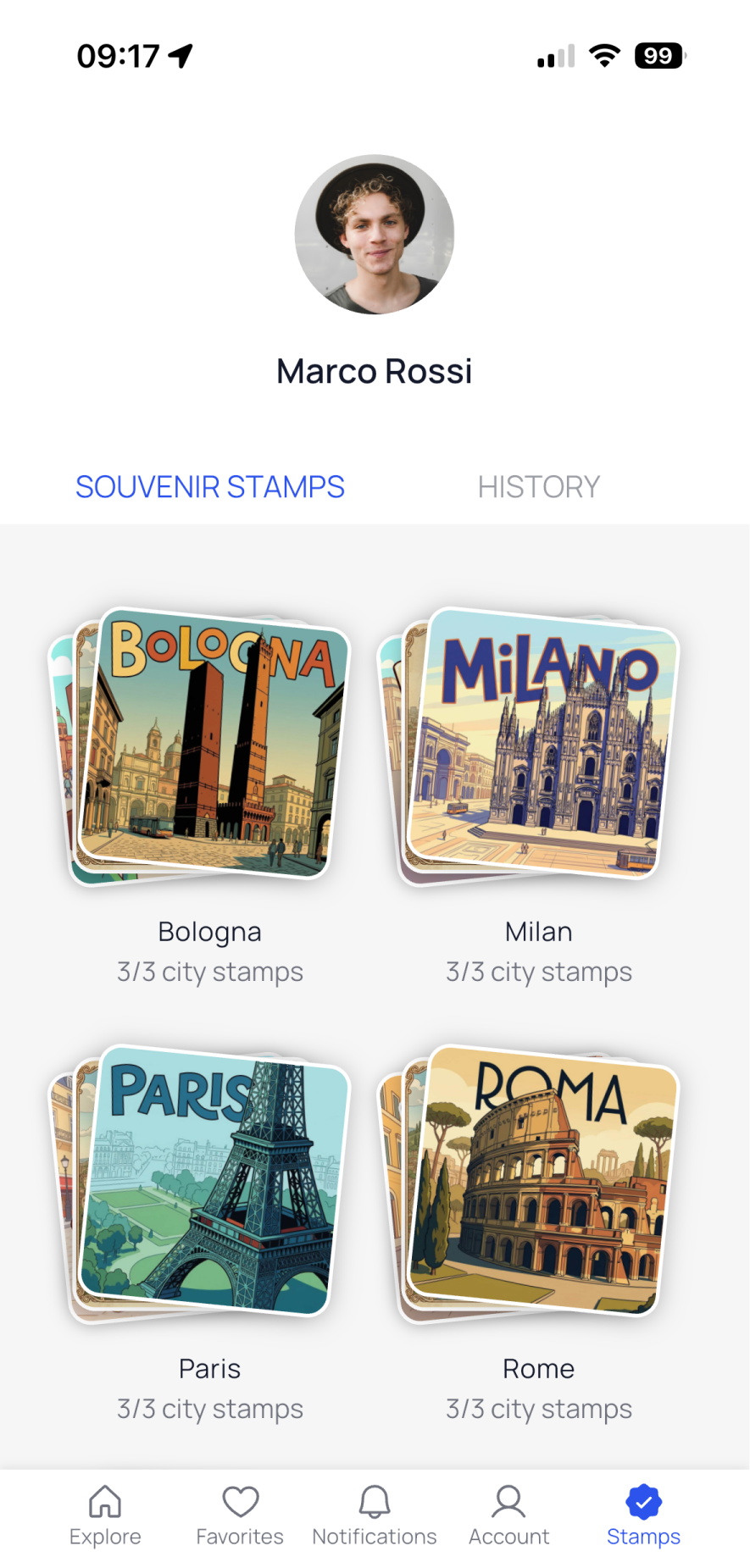
You can access all the Souvenir Stamps you’ve collected in the “Stamps” section of the GuideXpress app, available from the navigation bar.
To view your Souvenir Stamps:
- Open the “Stamps” section from the navigation bar.
- Tap on “Souvenir Stamps.”
In this section, you’ll see all the stamps you’ve collected, organized by city. For each city, a preview of the first three stamps is displayed.
- Tap on a city to open a dedicated page where you can browse all your stamps one by one.
- Tap on a specific stamp to view its details.
In the stamp detail view, you can find:
- The stamp title
- The date and time you obtained it
- The number of people who have collected it
- The number of points of interest required to unlock it
Tap on the stamp image to flip it and discover additional curiosities and information.
To see the History of Souvenir Stamps:
- Go to the "Stamps" section.
- Select the "History" tab to view the history of the Souvenir Stamps you have obtained, including the date, time, and location.
This section allows you to track your progress and achievements as you explore with GuideXpress.